
Recently I had the pleasure of presenting my thoughts and highlights on Release Wave 1 2025 at the UK Dynamics 365 & Power Platform User Groups national event. For a long while, I’ve had it on my list to start a blog where I can document my thoughts and share my findings! Full warning – I probably won’t be pumping out blog posts, but this will be the first post in a series about Release Waves. In this post, I’ll share some feature call-outs for this release wave, and in later posts I’ll share my approach to staying on top of the information, and the key principles to consider on this topic.
Overview
Let’s talk about this release wave at a high level. So I had gotten pretty brave, and I submitted my session for the user group BEFORE I’d actually had visibility of what was in the release wave. So when the plans came on 23rd Jan I was like okay here we go…what have we got…ah…I’m not sure how much of this I’d not already heard about. At least, for those big “game changing” features (for want of a better phrase). And this made me think, when was the last time I looked at a release wave and felt surprised at a deluge of huge new things. Probably not recently, potentially never. But this makes sense right, we know the big flagship features are announced at the big Microsoft events; Ignite, Power Platform Conference etc (a point also made in the excellent Power Platform Boost podcast). This is not a criticism in any way, but just to temper expectations. But what release waves do give us is the next tier of information. We can start to understand the relevant dates for the Previews and GAs, perhaps some documentation, or how this feature will land in the tenant, what enablement will be required etc. We also get a boat load of smaller, more iterative changes. I’m a big advocate for these as well, to truly improve and mature our solutions, our platforms, we can’t only focus on the flagship pieces, but the small gains. The things that nudge the needle on user experiences, on what we have sight of and the things we can govern.
This release wave spans from April 2025 through till September 2025 and introduces quite literally hundreds of new features across Dynamics 365 and the Power Platform. These updates are designed to enhance productivity, leverage AI capabilities and improve both user and administrative experiences. To sum it up in a couple of sentences, I would say that this release wave really starts to bring to fruition a lot of the things that have dominated the conversation over the last few months. You’re going to see A LOT of Copilot, yeah shock, there’s lots of AI. But what I like about this release wave in particular is that we start to understand and see practical applications of AI. And let’s be fair – it’s not just Copilot. In fact, as a product area Governance and Administration has 19 features set for General Availability in this release wave, second only to Power Automate.
Timeline
Release Plans for this wave became available towards the end of January, with a period of Early Access starting about 1 week after that. The features available in “Early Access” in this release wave are pretty limited to say the least with just 3 or 4 across the CE apps and Power Platform (depending on the source, Learn has slightly different information to the Release Planner). And that’s pretty typical at least over the last few release waves. A general rollout executes over April, this is when we’ll start seeing features from this release wave land in Public Preview and General Availability. A reminder that whilst features are in Public Preview, they shouldn’t be used in your production environments, but by all means use the Public Preview’s to get to grips with the features in non prod environments prior to their General Availability. Depending on the region of your environment, that should start for you between the last week of March and last week of April. June see’s the removal of Outbound Marketing in Customer Insights Journeys, and in many ways CIJ is an outlier in this release wave, with this wave focusing more on feature parity between Outbound Marketing and Real Time Journeys rather than being full throttle on AI, though there is of course a drop of AI in there.
But here’s an important point, the release plans that come out in January (July for Wave 2) are the starting point for what will come in the release wave, things WILL change. Features will be added, removed, change shape and so on. I’ll cover this in a different blog post, but to stay up to date I REALLY recommend using tools like the Release Planner or Release Plans Visualized
Feature Call Outs
During my TL;DR Release Wave 1 2025 session at UA92 in Manchester for the user group, I ran through 10 features from this release wave and quizzed the audience on their favourites. Here’s 5 that came out on top + 1 that I am personally VERY excited to see.
- Plan Designer
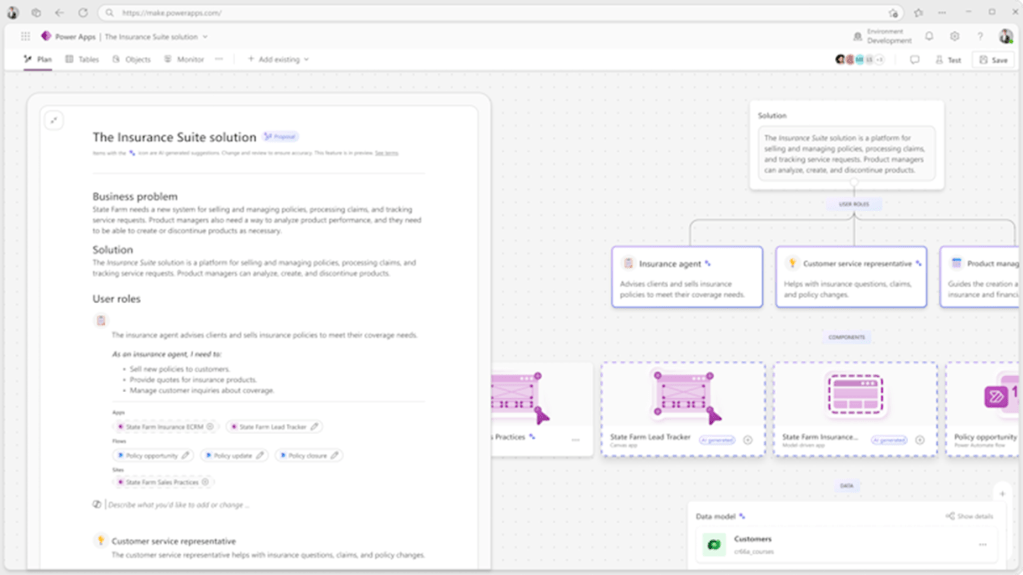
Perhaps the flagship of this release wave, the Plan Designer. First seen in Public Preview in December, this is currently expected to be in General Availability in September 2025. With the plan designer, it starts with your prompt and your information. You might provide it a reference diagram for the architecture, you may provide it a power point deck, or some mock ups. Using AI, the plan designer will then suggest you the roles of the users using your app, in the form of user stories, it’ll suggest to you the tables that you’ll need to build your solution on, and it’ll suggest the user experiences you’ll need for your solution. i.e. a Canvas App, A Model Driven app and 2 workflows.
I do feel this is way more than a gimmick, and I think it has the potential to help all levers of maker. For me, the biggest value is accelerating you to the starting point, rather than being a total solution generating machine. By the nature of the feature prompting users to think about user stories, to consider the data structure behind the solution etc – i think this could be really significant in aiding the production of high quality, well thought out solutions – No matter the experience level of the maker.
This is currently in public preview so you can have a play with this. Toggle on the new experience in Power Apps studio and you’ll spot ‘Plans’!
A few limitations;
- The Plan Desinger cannot generate Flows, just suggest to you the idea of the flow. Unlike with Apps, where it is capable of creating the app, whether canvas or model driven.
- You can’t currently utilise existing tables, so you’ll be creating new tables each time.
- You can’t edit the plan in line, all changes must be prompted. I actually would be quite happy for this to continue to be the case and don’t consider this a limitation as such.
Public Preview: Dec 2024
GA: September 2025
Learn: Copilot helps you plan out solutions to business problems | Microsoft Learn
2. Manage your source code for Canvas Apps
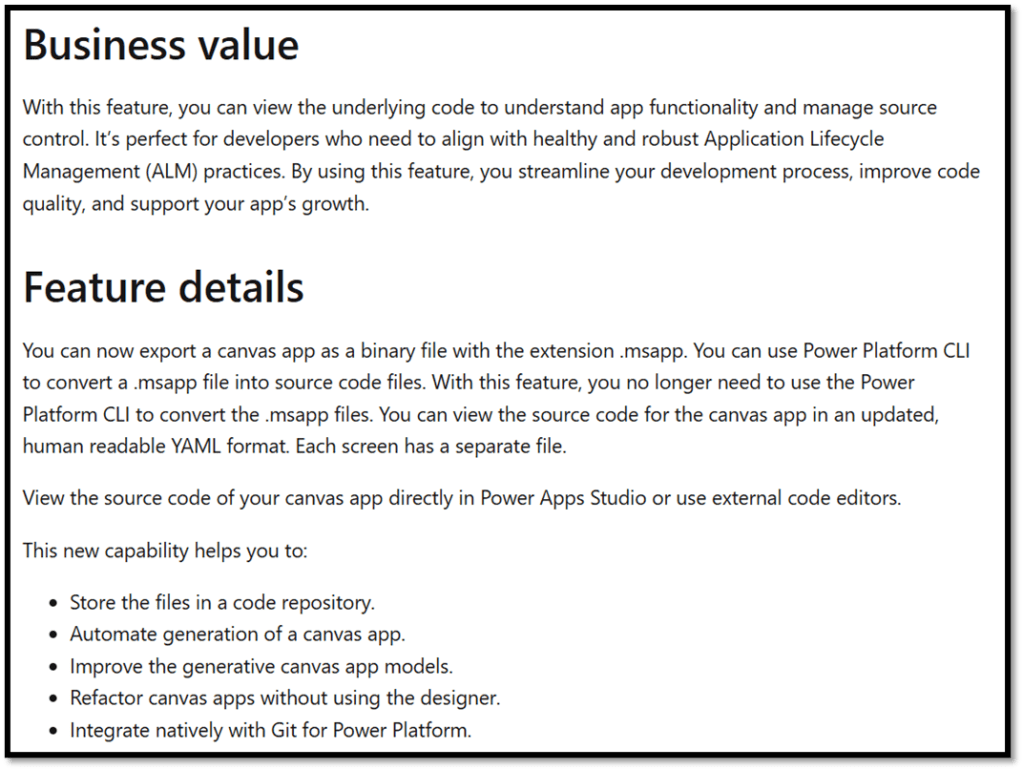
On Monday 4th March, Microsoft confirmed that the Code View in Power Apps studio has now reached General Availability. I think the last few months and 2025 looking forward takes big steps in redefining, or continuing to redefine how we’re building apps – and this is a key part of that for me. Not much information available on this feature in particular but combined with the Code view, we’ll be able to view and manage the source code of canvas apps, generate canvas apps from YAML, commit changes without using the designer and integrate natively with GIt. This is a great step in the maturity of development practices within the platform, and I think this is a great tool for building high quality apps, faster with less effort. Excited about the direction of this.
Public Preview: May 2025
GA: June 2025
Learn: Manage your source code for canvas apps | Microsoft Learn
3. Generate Process Maps for Multi-Flow Automations
When you’ve got a convoluted process in Power Automate, that relies on Parent/Child relationships, maybe even calls a desktop flow along the way and then that process goes wrong, it can be labour intensive and time consuming to work out what links to what, and where the problem has occurred. That’s why I love the premise of this feature – no screenshots but it is demonstrated in the release wave video for Power Automate. In the automation centre, we’ll have process maps that show the relationships between flows and where problems have occurred. Due in preview VERY soon in March 2025.

Public Preview: March 2025
General Availability: September 2025
Learn: Generate process maps for multi flow automations | Microsoft Learn
4. Create and edit expressions with Copilot
I love this feature, If I had a pound for every time I’ve gone back to a flow to see how I’d previously written an expression. I think this will be a great time saver when building out flows and I also think this will be good for simplification – with often more than one way to do things, I’d trust Copilot to be a little simpler than my messy self (sometimes). To benefit from this feature, you need to have Copilot turned on in your tenant and this is true with lots of these minor Copilot features across the platform – for which there are many, with many many more to come.

Public Preview: January 2025
General Availability: May 2025
Learn: Create and edit expressions with Copilot | Microsoft Learn
5. Secure Data access using filtered views.
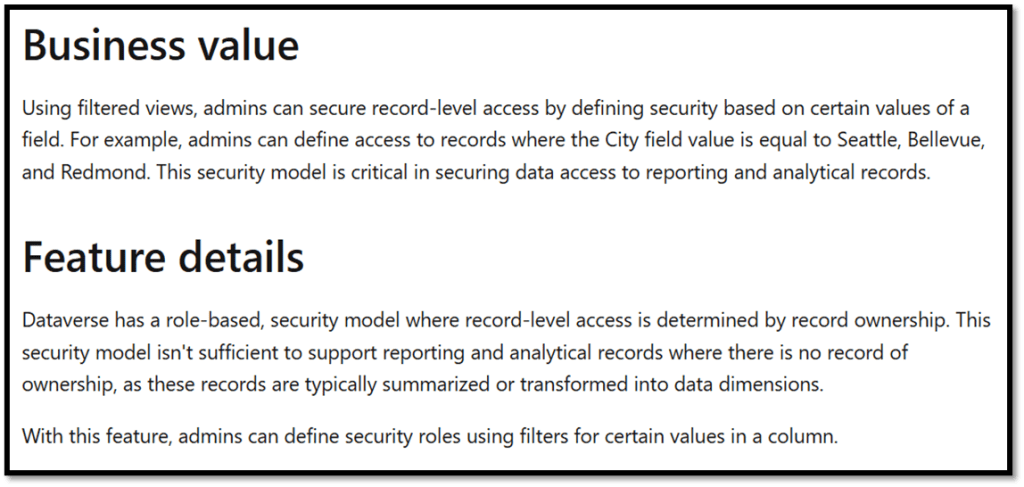
This new feature is a welcome addition to how we can utilise security roles. With this, you’ll be able to define security using a value within a field in your table. For instance, user can only access records where the City = London. – I think this will be really useful for making it easier to ensure users can only see records which they have the business need for and I can see this being used A LOT. Interestingly, this is only set for preview with no planned GA date at this stage.
Public Preview: April 2025
General Availability: N/A
Learn: Secure data access using filtered views | Microsoft Learn
Bonus – a personal favourite: Discover Your Tenant Inventory of Agents and more
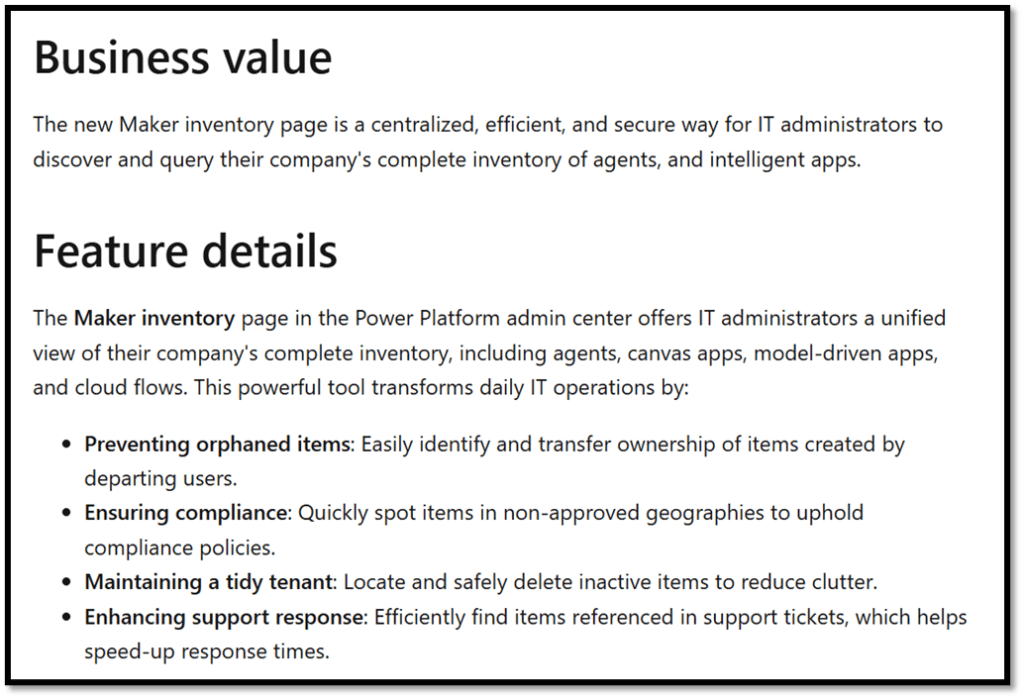
Governance and Admin has a lot of things to be excited about. One of those things is a native inventory of the apps, flows and agents within your tenant. Limited information though due in public preview very soon (March 2025). The reason I find this exciting is because though this feels like something we’ve already had through the installation of the COE starter kit, by having this native within the platform it starts to make me wonder what direction Microsoft may take with this. I’d figure (or I’m hoping) this may be the start of more to come. Perhaps we’ll start to get long desired controls and actions that Power Platform admins have longed for when it comes to governing solutions in the tenant. It’s a great demonstration of the good attention and investment that the Power Platform admin centre has received in this release wave – a long with other features like the upcoming GA of the new Power Platform admin centre, and the deployment hub for Pipelines.
Public Preview: March 2025
General Availability: June 2025
Learn: Discover your tenant inventory of agents and more | Microsoft Learn
Other thoughts:
Overall, despite initial scepticism I think that there’s lots to chew on in this release wave, a special mention to agents in D365, the first couple of which are now in Public Preview. This could be a post of it’s own. This post is just a flavour of the release wave, to get the full picture and to find the features most relevant to you – I 100% recommend exploring the release wave in further detail via one of the tools mentioned in the overview – this will also help you stay on top of the information as it becomes available and takes shape over the next 6 months. Check back soon for a post on how I personally stay on top of the information overload!

 SamTalks365
Leave a comment